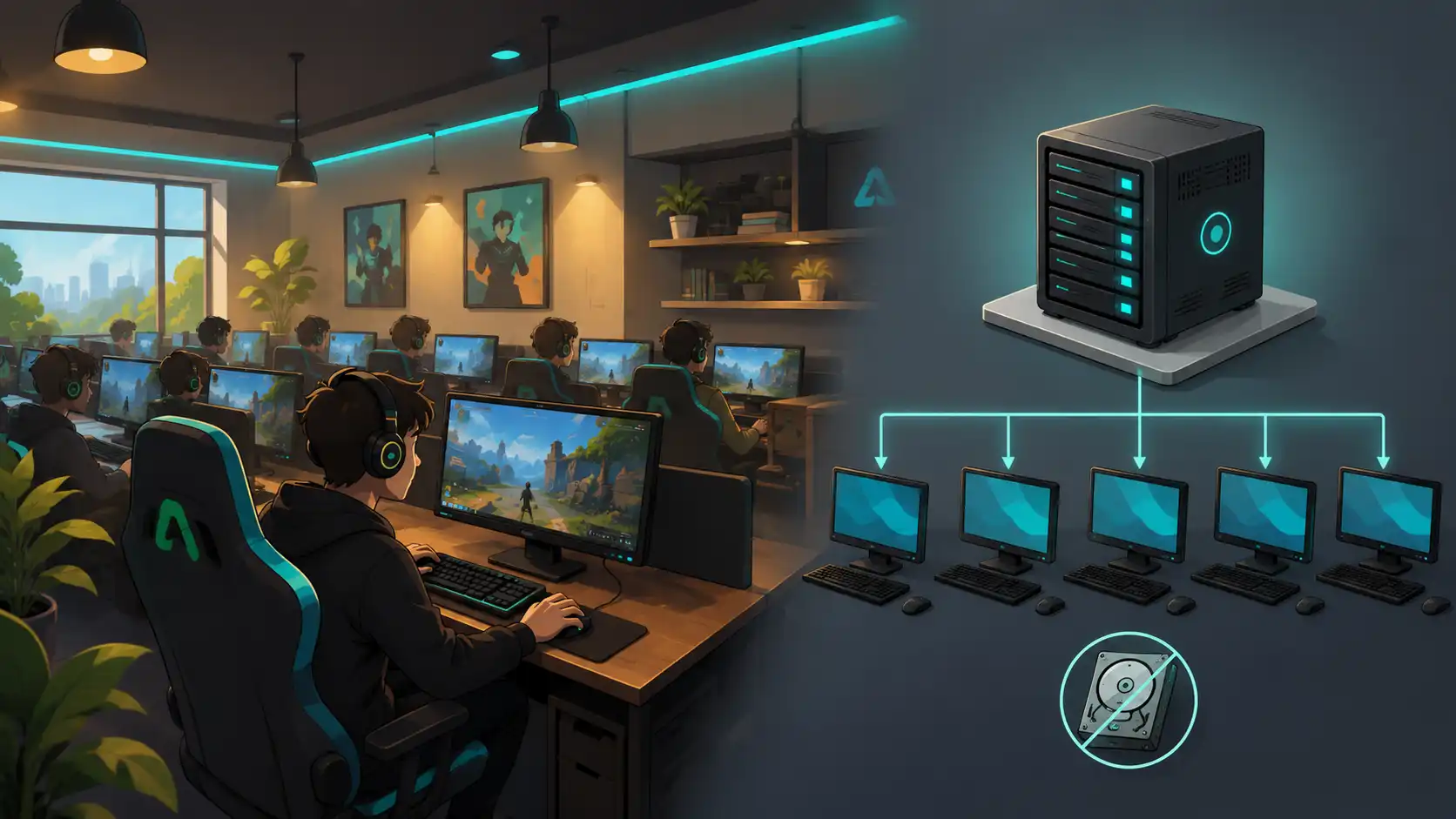
What a diskless system is
A diskless system runs a room full of computers without a working operating system on each local drive. Instead of installing Windows and games on every machine, the venue keeps one master image on a central server. Each client starts up, loads that image over the network, and behaves like a normal PC to the customer. Many setups keep a small local drive only as a cache for speed, not for storage. The idea has been common in larger internet cafes and game centers for years, because managing one image is far easier than managing a hundred separate installs.
How network boot works
The mechanism behind it is network boot, often called PXE boot. When a diskless client powers on, it asks the server for a boot file instead of reading a local drive. The server sends the master image. The client loads the operating system from it. Anything the customer changes during a session is written to a temporary space rather than the master. When the machine reboots, that temporary space is cleared. Every session then starts from the same clean image. Games and updates are installed once on the master. Every client sees them on the next boot.
What operators gain from it
- One master image to update, instead of patching every machine by hand.
- A clean, identical state on every client after each reboot.
- Fast recovery, since a broken client is often fixed by restarting it.
- Less lasting malware, because customer changes disappear at reboot.
- Simple game rollouts, installed once and seen everywhere on the next boot.
The trade-offs and risks
- The server becomes a single point of failure for the whole floor.
- A slow or cheap network shows up immediately as lag on every client.
- Upfront cost runs higher, since the server and switching have to be strong.
- Setup and tuning need real expertise, not a one-afternoon install.
- A mistake in the master image reaches every machine at once.
When diskless makes sense
Diskless is not automatically the right choice. It rewards scale. A venue with many identical machines, frequent game updates, and staff who value a clean reset gains the most from it. A game center chasing the latest titles across forty seats is the classic fit. A small browsing cafe with a handful of machines may see little benefit for the extra cost and complexity. For that venue, disk-protection software on local drives can deliver much of the clean-reset behavior with far less to build and maintain. The decision comes down to the number of seats, the update workload, and the skill available to run it.
What it takes to run one
- A capable server with fast storage and enough memory for every client at once.
- A fast network, often 2.5-gigabit or 10-gigabit, with a managed switch.
- Diskless software that handles the image, the boot process, and the write-back cache.
- A carefully built master image with the operating system, games, and settings.
- Staff or a partner who can maintain the image and recover the server quickly.
Questions before going diskless
- How many identical seats justify the extra server and network cost?
- Is the network fast enough to boot and run every client without lag?
- Who will build the master image and keep it patched over time?
- What happens to the whole floor if the server fails during busy hours?
- Would disk-protection on local drives meet the same need more simply?
Frequently asked questions
What is a diskless system in an internet cafe?
A diskless system runs every client computer without a working operating system on its local drive. One master image sits on a central server. Each client loads it over the network at boot. Changes made during a session clear at reboot, which returns every machine to the same clean state.
What are the benefits of a diskless system?
The main benefit is managing one master image instead of patching every machine by hand. Clients return to a clean, identical state after each reboot, which limits lasting malware and speeds recovery. Game updates are installed once and appear on every client at the next boot.
What are the disadvantages of a diskless system?
The server becomes a single point of failure for the whole floor. A slow network shows up as lag on every client. The upfront cost runs higher, since the server and switching must be strong. A mistake in the master image reaches every machine at once.
Does a small internet cafe need a diskless system?
Usually not. Diskless rewards scale and suits venues with many identical machines and frequent game updates. A small browsing cafe often gets similar clean-reset behavior from disk-protection software on local drives, with far less to build and maintain.